WordPress
WordPress vs Shopify: Which Should You Use in 2026?
Key takeaways
- Shopify is hosted and all-in-one; WordPress is free software you host and maintain yourself.
- For stores, Shopify reduces maintenance and checkout risk; for content sites, WordPress is stronger.
- WordPress looks cheaper, but hosting, premium plugins and maintenance time add up.
- Shopify Basic, Grow and Advanced include native B2B features since April 2, 2026.
- For a simple brand site with no store, Framer or Webflow may suit you better than either.
What is the real difference between WordPress and Shopify?
WordPress is open-source content management software you install on hosting you choose; Shopify is a hosted commerce platform you rent by the month. That single difference explains almost every trade-off that follows.
With self-hosted WordPress (WordPress.org), you pay for hosting, pick a theme, and add features through plugins. To sell, most people add WooCommerce, a free plugin that turns WordPress into a store. You control everything, and you are also responsible for everything: updates, backups, security, and performance.
Shopify bundles hosting, security, checkout, and the admin into one subscription. You customize the storefront with a theme and extend it with apps, but the core platform and checkout are maintained by Shopify. Shopify states it is certified Level 1 PCI DSS compliant, which matters when you handle card payments.
Note that WordPress.com is a separate, hosted version of WordPress run by Automattic. It sits somewhere in between, and we cover it briefly below.
WordPress vs Shopify at a glance
If you only read one section, read this table. It compares self-hosted WordPress with WooCommerce against Shopify for the decisions that actually affect a small brand.
| Factor | WordPress + WooCommerce | Shopify |
|---|---|---|
| What it is | Open-source CMS plus a free ecommerce plugin | Hosted, all-in-one commerce platform |
| Software cost | Free core; you pay for hosting, premium plugins and themes | Basic $29/mo, Grow $79/mo, Advanced $299/mo (billed yearly); Plus from $2,300/mo |
| Hosting | You choose and manage it (shared, managed WordPress, VPS) | Included |
| Updates and security | Your job: core, theme, and every plugin | Handled by Shopify for the platform; you maintain apps and theme edits |
| Checkout | Fully editable, but you maintain it | Shopify-hosted checkout; deeper customization on Plus |
| Payment fees | Set by your gateway (Stripe, PayPal, WooPayments) | Shopify Payments, or 2% / 1% / 0.6% extra on Basic / Grow / Advanced with third-party gateways |
| Content and blogging | Best in class | Good enough for a store blog; less flexible |
| B2B / wholesale | Via plugins | Native B2B on Basic, Grow and Advanced since April 2026; full B2B on Plus |
| Who it suits | Content-led sites, publishers, teams with a developer on call | Brands whose main job is selling products |
Which is better for selling products online?
For a business whose main job is selling physical products, Shopify is usually the better choice. It removes the infrastructure work and gives you a checkout, inventory, shipping, taxes, and payments that work on day one.
The questions we see most often on r/shopify and r/Wordpress come down to the same worry: "Will I end up spending my weekends fixing my store?" With WooCommerce, the honest answer is "sometimes." A store relies on a stack of plugins (payments, shipping, subscriptions, SEO, caching, security), and each one updates on its own schedule. Most updates are fine. Occasionally one breaks checkout, and you need someone who can roll it back.
On Shopify, the platform side is managed for you. You still need to keep your theme and apps tidy, but checkout and hosting are not something you patch.
Shopify's pricing is also simple to model. The plans are Basic ($29/mo billed yearly, $39 monthly), Grow ($79 yearly, $105 monthly), and Advanced ($299 yearly, $399 monthly). With Shopify Payments in the US, online card rates start at 2.9% + 30¢ on Basic and fall to 2.5% + 30¢ on Advanced. If you use a third-party gateway instead, Shopify adds a fee of 2% on Basic, 1% on Grow, and 0.6% on Advanced.
Our take: if more than half your revenue goal depends on online sales, start on Shopify. You will spend your time on products and marketing rather than server maintenance.
Which is better for content sites and blogs?
For content-first sites (publications, blogs, resource hubs, service businesses that grow through articles), WordPress is the stronger tool. It was built for publishing, and its editor, taxonomy, and plugin ecosystem for content are hard to beat.
W3Techs reports WordPress runs about 39.6% of all websites and roughly 58% of sites with a known CMS, as of October 2026. That reach means huge choice in themes, plugins, and developers.
Shopify does have a blog, pages, and metaobjects for structured content, and it works well for a store blog that supports product SEO. It is not a full publishing system, though. If you need complex editorial workflows, many authors, custom post types, or memberships, WordPress is a better fit.
For a simple marketing or brand site with no store, you may not need either. Tools like Framer or Webflow are often faster to build and easier to maintain. We compare them in Framer vs Webflow vs WordPress.
How do the costs compare over a year?
WordPress looks cheaper because the software is free, but total cost depends on hosting, premium plugins, and maintenance time. Shopify has a higher visible subscription and fewer hidden costs.
A realistic WooCommerce budget includes:
- Hosting: shared hosting can start at a few dollars a month on long promotional terms (Hostinger advertises $2.49/mo on a 48-month term, renewing at $10.99/mo), while managed WordPress hosting such as Kinsta starts around $30/mo billed annually.
- Premium extensions: for example, the official WooCommerce Subscriptions extension is $279 per year.
- Theme: premium themes on ThemeForest mostly sell for roughly $30 to $80.
- Maintenance: your time or a developer's for updates, backups, and fixes.
On Shopify, you budget for the plan, a theme (free or paid), and apps. App subscriptions can add up, so audit them every few months. For a full breakdown, see how much a Shopify store costs and how much a WordPress website costs.
What about WordPress.com?
WordPress.com is hosted WordPress, so it removes the hosting and core-update work. Its Commerce plan includes WooCommerce and costs $45/mo billed yearly ($70 monthly), according to WordPress.com's pricing page.
It is a reasonable middle ground for content-heavy brands that sell a small catalog. You still manage WooCommerce extensions and their compatibility, so it is not as hands-off as Shopify.
When should you choose each one?
Choose based on what the site has to do most, not on which platform is "better" in general.
Choose Shopify if:
- Selling products is the main goal of the site.
- You do not have a developer on call for maintenance.
- You want reliable checkout, payments, and inventory out of the box.
- You plan to sell wholesale too; native B2B features (company profiles, B2B catalogs, volume pricing, payment terms) have been available on Basic, Grow, and Advanced since April 2, 2026.
Choose WordPress if:
- Publishing content is the core of your growth strategy.
- You need unusual custom functionality and have a developer to maintain it.
- Your store is small or secondary to the content.
- You want full control over hosting and code, and accept the responsibility that comes with it.
Can you use both?
Yes. Some brands keep a WordPress blog on a subdomain or subfolder and run the store on Shopify. Others embed Shopify products into a WordPress site with the Shopify Buy Button.
It works, but you then maintain two systems, two logins, and two sets of analytics. For most small brands, one platform is simpler. If you already run WooCommerce and are considering a move, read our WooCommerce to Shopify migration guide and the deeper Shopify vs WooCommerce comparison.
How we can help
We are a Shopify design and development studio, so we build stores on Shopify and simple marketing sites on tools like Framer; we do not build WordPress sites. If Shopify is the right fit for your brand, our Shopify store design service covers design and development, set up under your own accounts.
Send us your store URL and we'll email you the fixes that matter most. No call needed.
Frequently asked questions
Is WordPress cheaper than Shopify?
The WordPress software is free, so the starting cost can be lower. But a WooCommerce store needs hosting, often premium plugins, and regular maintenance. Once you count those and your time, the difference is usually smaller than it looks.
Is Shopify or WordPress better for SEO?
Both can rank well. WordPress offers more control and more SEO plugins for content-heavy sites. Shopify covers the essentials for stores (editable titles, meta descriptions, redirects, sitemaps), and rankings depend far more on content and site speed than on the platform.
Can I move from WordPress to Shopify later?
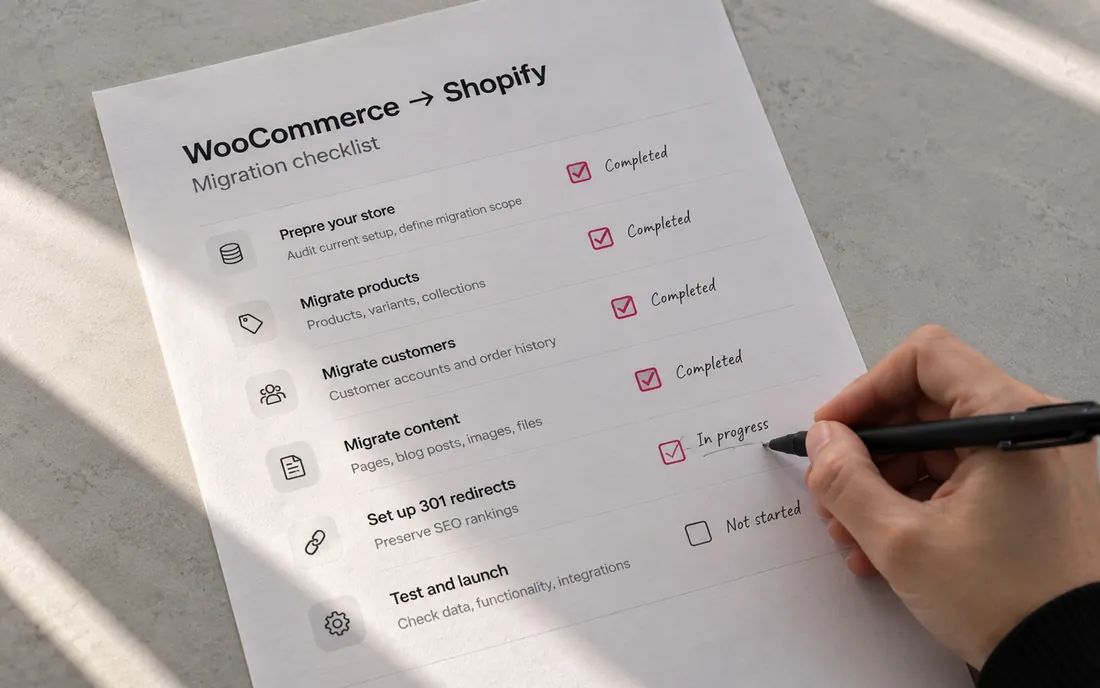
Yes. Products, customers, and orders can be migrated with import tools or apps, and you should set up 301 redirects from old URLs to protect search traffic. Blog posts can be moved too, though formatting usually needs a cleanup.
Do I own my store on Shopify?
You own your content, product data, customer data, and domain, and you can export your data. You rent the platform itself, so you cannot move the Shopify software to another host the way you can with WordPress.
Is WooCommerce secure?
WooCommerce itself is actively maintained, but security depends on your hosting, your plugins, and how fast you apply updates. Patchstack reports that most new WordPress vulnerabilities are found in plugins, so keeping the plugin count low and updates current matters most.