B2B & Plus
Shopify B2B in 2026: The Complete Guide to Native Wholesale
Key takeaways
- Native B2B has been on Basic, Grow and Advanced since April 2, 2026, at no extra cost.
- Non-Plus plans get up to 3 B2B catalogs, assigned through Markets. Plus gets unlimited catalogs and direct company assignment.
- Net terms, vaulted cards, quantity rules and price breaks work on every B2B plan. Deposits and partial payments are Plus-only.
- B2B requires the current customer accounts and doesn't support accelerated checkouts or subscriptions.
- Choose a blended or dedicated store before launch, because switching later means redoing most of the setup.
What is Shopify B2B?
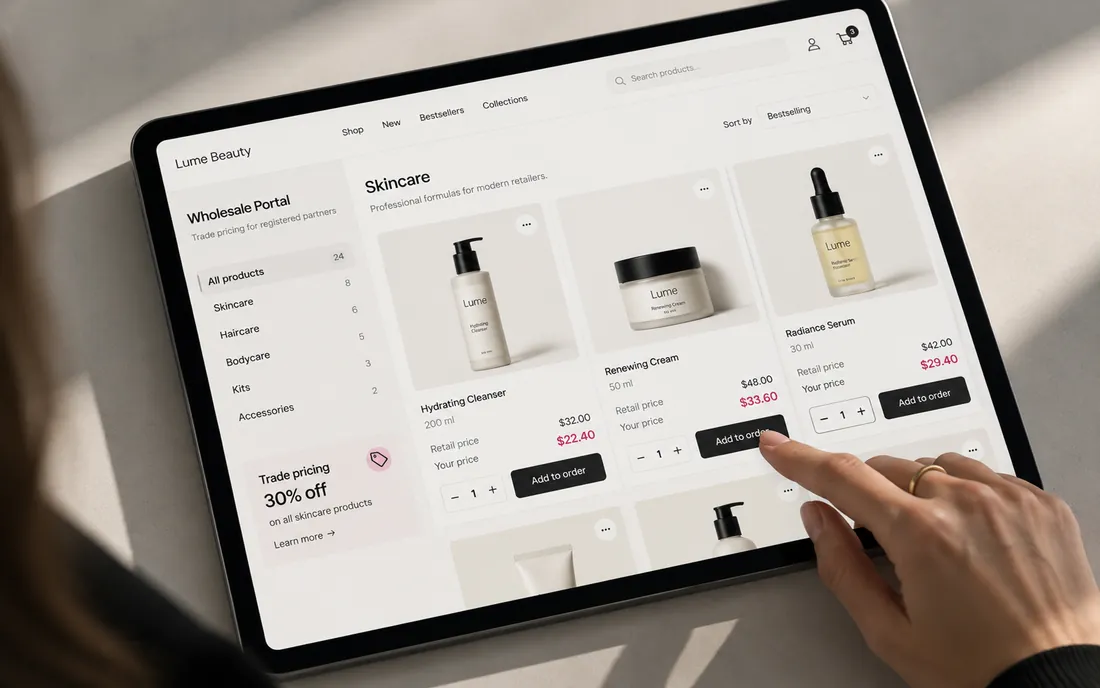
Shopify B2B is the wholesale toolkit built into the Shopify admin. It lets you sell to business buyers with their own accounts, prices, minimums and payment terms, alongside or separate from your retail store. It isn't an app or a separate product.
For years native B2B was a Shopify Plus feature. On April 2, 2026, Shopify made its core B2B features available on the Basic, Grow and Advanced plans at no extra cost. Plus keeps a few advanced pieces. B2B isn't available on the Starter or Retail plans.
Native B2B is built from a handful of parts:
- Companies and locations: who the buyer is and where they order from.
- Catalogs: which products a buyer sees and at what price.
- Quantity rules and volume pricing: minimums, case packs and price breaks.
- Payment terms: net terms, vaulted cards, ACH and invoices.
- B2B checkout and customer accounts: where buyers place and manage orders.
- Shopify Flow and integrations: automation and ERP sync.
Which Shopify plans include B2B features?
Every plan from Basic up includes companies, quantity rules, volume pricing, net terms and vaulted cards. Plus adds unlimited catalogs, direct catalog assignment, deposits and partial payments. Advanced and Plus also add B2B-specific storefront and checkout content through Markets.
| Feature | Basic | Grow | Advanced | Plus |
|---|---|---|---|---|
| Companies and company locations | Yes | Yes | Yes | Yes |
| B2B catalogs (assigned to B2B markets) | Up to 3 | Up to 3 | Up to 3 | Unlimited |
| Catalogs assigned directly to a company or location | No | No | No | Yes |
| Quantity rules (min, max, increment) | Yes | Yes | Yes | Yes |
| Quantity price breaks | Yes | Yes | Yes | Yes |
| Net payment terms and payment reminders | Yes | Yes | Yes | Yes |
| Vaulted credit cards, ACH (US only) | Yes | Yes | Yes | Yes |
| Deposits and partial payments | No | No | No | Yes |
| PO numbers, draft orders, easy reorders, quick order list | Yes | Yes | Yes | Yes |
| Different storefront and checkout for B2B (via Markets) | No | No | Yes | Yes |
| Shopify Flow with B2B objects | Yes | Yes | Yes | Yes |
| Full checkout customization | Limited | Limited | Limited | Full |
Source: Shopify's B2B features by plan and pricing pages. For the full breakdown of the non-Plus side, see our guide to Shopify B2B without Plus.
How do companies and locations work?
A company is the business you sell to. A company location is a branch, store or ship-to address that places orders. Customers are the people who log in and buy for that location.
Each location can carry its own shipping and billing addresses, tax settings, payment terms and catalogs. A single buyer can belong to several locations, and location-level permissions decide who can only order and who can manage the location. One rule trips people up: an order only gets B2B pricing if the buyer is tied to a company location when they check out. Otherwise they get your retail (DTC) prices.
How do catalogs and price lists work?
A catalog decides which products a B2B buyer can see and what they pay for them. It can apply a percentage adjustment to your retail prices, set fixed prices per product or variant, and carry quantity rules and price breaks.
How you assign catalogs depends on your plan:
- Basic, Grow and Advanced: up to 3 active catalogs across all your B2B markets, assigned through Shopify Markets. Your store has to use the new Markets experience.
- Plus: unlimited catalogs, which can also be assigned straight to a single company or location. This is how you handle negotiated, customer-specific price lists.
Our take: if your wholesale pricing comes down to a few tiers (for example retailer, distributor and international), three catalogs plus price breaks go a long way. If every big account has its own contract price, that points to Plus or a pricing app.
What are quantity rules and volume pricing?
Quantity rules set a minimum, maximum and increment per variant, so you can sell in cases of 12 or require a 24-unit minimum. Volume pricing (quantity price breaks) lowers the unit price at set thresholds, for example $10 each, then $9 from 50 units.
Both live inside a catalog, so different buyer groups can have different minimums and breaks. They're available on every plan that supports B2B.
How do B2B payment terms work?
You can give companies net terms (Net 7 to Net 90) or make payment due on fulfillment, and send automatic payment reminders. Buyers can also pay by card, a vaulted card, or ACH in the US.
Other payment tools on all B2B plans include PO numbers at checkout, draft orders that turn into invoices, and "checkout to draft," where a buyer's order lands as a draft for your team to review. Plus adds deposits (a percentage paid upfront on a net-terms order), partial payments on one order and payment requests per fulfillment.
What does B2B checkout look like?
B2B buyers use the standard Shopify checkout, adjusted for their company: their catalog prices, saved addresses, payment terms and PO field. Most of that works without any setup.
Shopify's B2B considerations page lists some limits to plan around:
- Accelerated checkouts (Shop Pay, Apple Pay, Google Pay, Amazon Pay) don't work for B2B orders.
- Subscriptions, tipping, pickup points and legacy customer accounts aren't supported.
- Orders and draft orders max out at 500 line items.
- Some third-party apps aren't B2B compatible, so check with each developer.
Checkout customization beyond branding and blocks needs Plus. Our checkout extensibility guide covers what's possible on each plan.
What do B2B customer accounts include?
B2B requires the current customer accounts. Legacy accounts can't place B2B orders. Logged-in buyers can switch between company locations, see order history and reorder past orders.
On the storefront, Shopify's free Trade theme is designed for B2B, and the quick order list lets buyers enter quantities for many variants on one page. On Advanced and Plus you can show different theme content to B2B and DTC customers through Markets.
How do Shopify Flow and ERP integrations fit in?
Shopify Flow is a free automation app on Basic, Grow, Advanced and Plus, and it can use B2B objects such as companies and locations. Typical workflows tag new companies, alert sales reps about large orders, or hold orders above a credit limit for review. The "Send HTTP request" action, handy for pushing data to other systems, is available from Grow up.
For ERP, most merchants use a connector app or a custom integration through Shopify's APIs. For example, Oracle NetSuite's own connector on the Shopify App Store has a dedicated B2B tier that syncs B2B orders, customers, invoices and payments. That tier was listed at about $917 a month when we checked, so budget for integrations on top of your Shopify plan.
Should B2B and DTC share one store or use separate stores?
Most brands that sell similar products to both audiences should use one blended store. A separate (dedicated) B2B store makes sense when you need a gated wholesale site, separate inventory, different branding or separate teams.
| Blended store (B2B + DTC) | Dedicated B2B store | |
|---|---|---|
| Admin and inventory | One admin, shared inventory | Separate admin and inventory |
| Apps and integrations | Set up and paid for once | Reconfigured and paid for again |
| Gated access | Can't restrict the whole store to B2B | Can be B2B-only |
| Branding | Same for both audiences | Independent theme and branding |
| Different B2B content | Advanced or Plus (via Markets) | Built in, since it's its own store |
| Extra cost | None | A second plan, unless it's a Plus expansion store |
Shopify warns that switching store types later is hard, because you'd redo companies, catalogs and storefront setup. Decide before you launch.
How do you set up Shopify B2B?
- Confirm your plan (Basic or higher) and turn on the current customer accounts.
- Choose blended or dedicated, based on the table above.
- Create companies and locations, or bulk-import them from your existing wholesale customer list.
- Build catalogs with your price adjustments, fixed prices, quantity rules and price breaks, then assign them.
- Set payment terms, payment methods and tax settings for each location.
- Adjust the theme: wholesale navigation, quick order list, and any B2B-only content.
- Test real orders as a B2B buyer, including terms, PO numbers and draft orders, before inviting customers.
How we can help
We design and build B2B and wholesale stores on Shopify, from catalog and pricing structure to the buyer-facing storefront. If you're deciding between one store or two, or between Advanced and Plus, see our Shopify B2B services and tell us how you sell today.
Send us your store URL and we'll email you the fixes that matter most. No call needed.
Frequently asked questions
Do I need Shopify Plus to sell wholesale on Shopify?
No. Since April 2, 2026, the Basic, Grow and Advanced plans include native B2B with companies, up to 3 catalogs, quantity rules, volume pricing and payment terms. You need Plus for unlimited catalogs, catalogs assigned directly to a company, deposits, partial payments and full checkout customization.
Can B2B and retail customers see different prices in the same store?
Yes. B2B buyers who are logged in and tied to a company location see their catalog prices, and everyone else sees retail prices. On Advanced and Plus you can also show different storefront content to B2B and DTC customers through Markets.
Does Shop Pay work for B2B orders?
No. Shopify lists accelerated checkouts, including Shop Pay, Apple Pay, Google Pay and Amazon Pay, as incompatible with B2B. Buyers pay by card, a vaulted card, ACH in the US, or on net terms.
Can I sell subscriptions to B2B customers?
Not through native B2B. Shopify lists subscriptions as incompatible with B2B orders. If wholesale buyers need recurring orders, reorder tools, draft orders or an integration with your ERP are the usual workarounds.
Is there a limit on how many products a B2B order can have?
Yes. Orders and draft orders are limited to 500 line items, and orders above that limit fail. Very large buyers who order by spreadsheet may need orders split or brought in through an integration.
Can I connect Shopify B2B to my ERP?
Yes, through connector apps or custom integrations built on Shopify's APIs. Oracle NetSuite, for example, offers its own connector with a B2B tier. Budget for the connector and setup on top of your Shopify plan.
Sources
- Shopify Changelog: Key B2B features now available on non-Plus plans (April 2, 2026)
- Shopify News: B2B for all
- Shopify Help Center: Shopify B2B features by plan
- Shopify Help Center: Overview of B2B features
- Shopify Help Center: Requirements and considerations for using B2B
- Shopify Help Center: Choosing a store type for your B2B business
- Shopify Help Center: Shopify Flow
- Shopify Pricing
- Shopify App Store: NetSuite ERP Connector