Shopify
How Long Does It Take to Build a Shopify Store?
Key takeaways
- Timeline depends far more on scope and content readiness than on Shopify itself.
- Typical ranges: DIY theme setup in days, customized theme in 3–6 weeks, custom design in 6–12 weeks, complex migrations and integrations in 3–4 months.
- Design approval and revision rounds are where most projects lose time.
- Product data, photography and copy are the most common cause of late launches.
- Build in at least a week for testing payments, shipping, taxes and redirects before going live.
People usually ask this question when they have a launch date in mind. The good news is that Shopify removes most of the technical setup (hosting, checkout, security), so the timeline is mostly about design, content and decisions. Here is what to expect.
How long does a Shopify store take by project type?
Plan on days for a DIY theme store, a few weeks for a customized theme and two to three months for a custom design. Projects with migrations, B2B or integrations take longest.
| Project type | Typical timeline | What drives it |
|---|---|---|
| DIY store on a free or paid theme | A few days to 2 weeks | Product count, your photos and copy |
| Professionally customized theme | 3–6 weeks | Number of custom sections, page templates and apps |
| Custom design (Figma) and theme development | 6–12 weeks | Design rounds, unique templates, content readiness |
| Migration to Shopify (e.g. from WooCommerce or Magento) | 6–12+ weeks | Data volume, customer accounts, URL redirects |
| B2B, Shopify Plus or ERP-integrated build | 3–4 months or more | Integrations, pricing rules, approvals on the client side |
These ranges match published industry guides, which put a full build at anywhere from a few weeks to a couple of months for standard stores and 3–4 months for integration-heavy projects.
What are the phases of a Shopify build?
A professional build moves through discovery, design, development, content and setup, testing, and launch. Each phase depends on the one before it, so a delay early on moves the launch date.
- Discovery and planning (a few days to 2 weeks). Goals, sitemap, features, apps, integrations and a content plan. A good questionnaire up front saves weeks later.
- Design (1–4 weeks). Homepage, collection page, product page and key templates, then revisions. In our process the first design version is delivered in under a week, followed by up to three revision rounds.
- Development (1–6 weeks). Theme setup or custom theme development, custom sections, metafields, filters, app integrations and responsive behavior.
- Products and store setup (1 day to 2+ weeks). Products, variants, collections, navigation, payments, shipping, taxes, markets, policies and email notifications.
- Testing (1–5 days, longer for complex stores). Test orders, discount codes, shipping rates, taxes, mobile layouts, speed and, for migrations, redirects and customer data.
- Launch (1 day). Remove the password, connect the domain, submit the sitemap in Google Search Console and monitor orders closely for the first days.
What usually delays a Shopify launch?
Missing content and slow decisions delay more launches than code does. Product data, photos, copy and approvals are the usual bottlenecks.
- Content not ready. Product descriptions, photos, size guides and policy pages often arrive late. Developers can build templates, but the store cannot launch empty.
- Too many revision rounds. Reopening design decisions after development starts is expensive and slow. Agree on the homepage and product page before moving on.
- Scope creep. New features added mid-project (subscriptions, bundles, a wholesale portal) push the timeline. Park them for phase two.
- Messy product data. Large catalogs with inconsistent variants or missing SKUs take days to clean up. Shopify supports up to 2,048 variants per product, but organizing them well is still manual work.
- Third-party integrations. ERP, inventory, 3PL and accounting connections depend on other vendors and their timelines.
- Payments and domain issues. Payment provider verification, domain transfers and DNS access can each block a launch for days.
- Migration details. Redirects, customer accounts and order history need careful testing. See our Shopify migration SEO checklist.
Can you build a Shopify store in a week?
Yes, if you use an existing theme, have your products, photos and copy ready, and keep the scope small. A custom design or a migration cannot realistically be done well in a week.
A one-week launch works for a small catalog, a single market and standard apps. If you need a store fast, launch a clean theme-based version first and add custom sections and integrations in a second phase. That approach also gives you real sales data before you invest in custom work.
How can you speed up your Shopify build?
Prepare content early, make one person responsible for decisions and agree on scope before design starts. These three steps shorten most projects by weeks.
- Collect brand assets, logo files, fonts and reference stores before kickoff.
- Prepare a product spreadsheet with titles, descriptions, variants, prices, SKUs and image file names. Shopify imports products via CSV.
- Choose one decision-maker who can approve designs within a few days.
- Decide on apps and integrations during discovery, not during development.
- Write or commission copy for key pages (about, FAQ, shipping, returns) while design is in progress.
- Give your developer collaborator access to the store and admin access to domains and payment accounts early.
Our take: a realistic date you hit is better than an aggressive date you miss. Launching before a peak season such as Black Friday is a common goal, so start at least 8–12 weeks before if you need custom design.
How long does a Shopify redesign or migration take?
A redesign of an existing Shopify store usually takes 4–10 weeks because products and settings are already in place. A migration from another platform typically takes 6–12 weeks or more, depending on data volume and integrations.
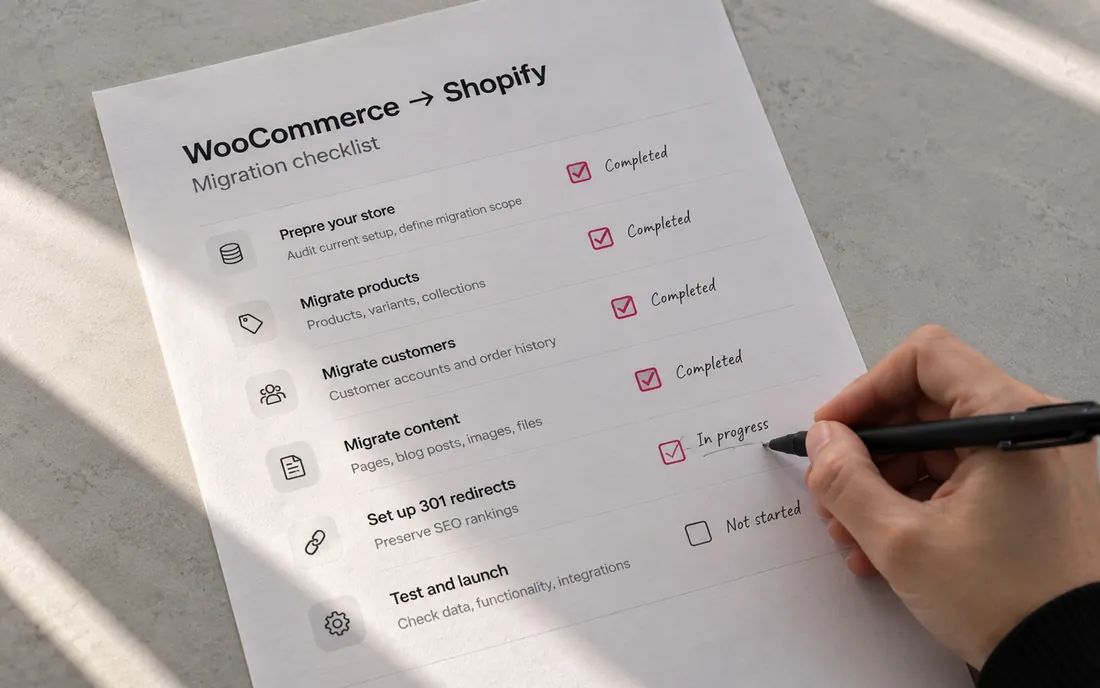
For redesigns, you can build the new theme as an unpublished theme in the same store and switch when it is ready, which keeps the live store selling. For migrations, the extra time goes into importing products, customers and orders, setting up 301 redirects and checking SEO. Our guide to migrating from WooCommerce to Shopify covers the steps.
What does a realistic 8-week custom build look like?
A typical custom design project splits roughly into one week of discovery, two to three weeks of design and revisions, three weeks of development and one week of setup, testing and launch.
Weeks overlap where possible: product data can be prepared during design, and copy can be written during development. The schedule holds only if feedback comes back within a few days at each step.
How we can help
Our process is built around a predictable timeline: a design questionnaire, a first design in under a week, up to three revision rounds, then development and launch. If you have a date in mind, see how we approach Shopify development or tell us about your project.
Send us your store URL and we'll email you the fixes that matter most. No call needed.
Frequently asked questions
How long does it take to set up a basic Shopify store yourself?
If your products, photos and copy are ready, you can set up a basic store on a free theme in a few days. Most first-time owners take one to two weeks because they are also deciding on shipping, policies and branding.
How long does Shopify store design take?
Design for a custom Shopify store typically takes one to four weeks, depending on the number of templates and revision rounds. A first design concept can often be delivered within a week if the brief is clear.
How long does it take to migrate to Shopify?
Most migrations take six to twelve weeks. Small stores with simple catalogs can move faster, while stores with large customer databases, order history, B2B pricing or ERP integrations can take longer.
Can I keep selling while my new Shopify theme is being built?
Yes. A new design can be built as an unpublished theme in your existing Shopify store and previewed privately. You publish it when it is ready, so your live store keeps selling throughout.
How much time should I leave for testing before launch?
Leave at least a few days for a simple store and one to two weeks for migrations or integrated stores. Test real orders, refunds, discounts, shipping rates, taxes, notification emails and redirects before you remove the password.